Skip to content
Xplore by Cedars Digital
AR

AI virtual tour and investment platform

Sell Real Estate Faster with Immersive 3D Digital Experiences

Elevate. Evaluate. Reserve.

One continuous journey for the buyer, from first look at the tower to a signed, paid reservation, inside one browser session.

Open live demo

Our presence

  • UAE flagUAE+10 Projects
  • KSA flagKSA+5 Projects
  • Qatar flagQatar+5 Projects
Building view
Xplore building view: a residential tower with Floor 29 highlighted and its unit types listed
  • Units published184
  • Sessions this week1,240
  • Units held or reserved9
Sample dashboard figures, shown for illustration.

Built for property developers and large-scale projects

Sell Real Estate Faster with Immersive 3D Digital Experiences

More than half of buyers skip a listing that has no tour

Off-plan decisions are made from renders, a PDF floor plan and a promise. Hesitation is not a pricing problem, it is a seeing problem.

Around 40% of viewing time is spent on the wrong buyer

Sales gallery hours, repeat walkthroughs, out-of-town buyers who fly in to say no. The expensive part of selling is the unqualified visit.

Inventory, interest and intent live apart

Availability in a spreadsheet, leads in the CRM, buyer behaviour nowhere at all. Nobody can say which unit is in demand this week.

Projects running on Xplore

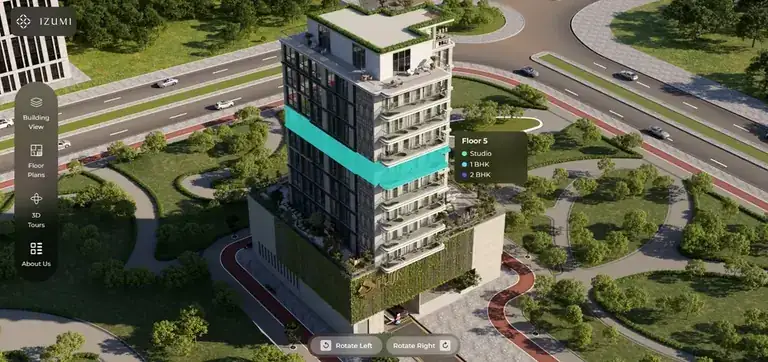
  • UAEFuji Properties, Izumi UAE
    Fuji Properties, Izumi — Xplore digital twin view
  • UAEFuji Properties, Izumi UAE
    Fuji Properties, Izumi — Xplore digital twin view
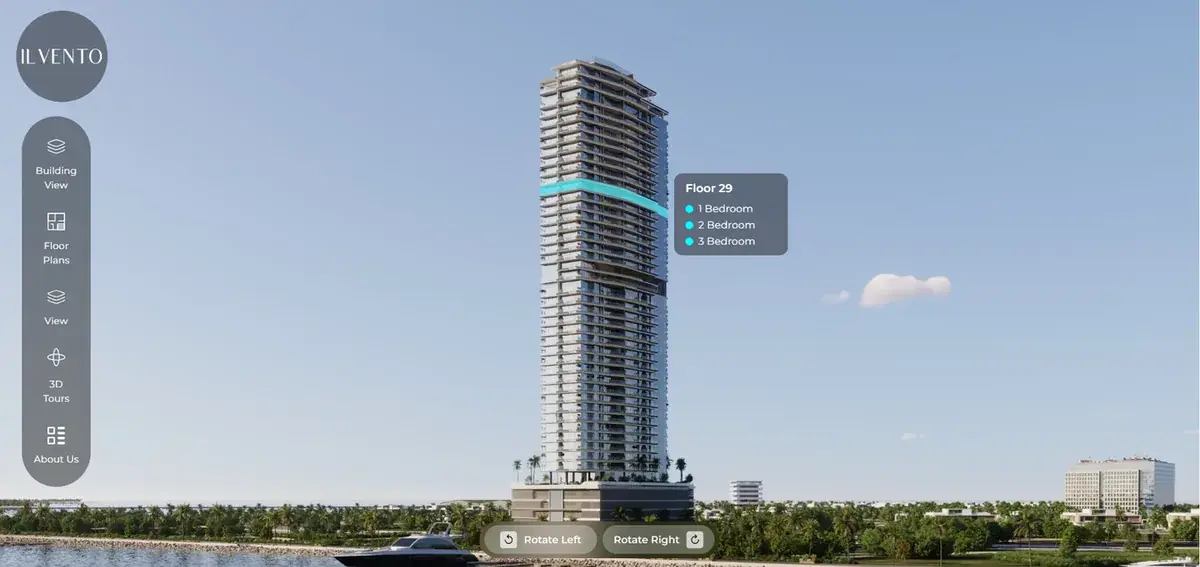
  • UAEKora Properties, IlVento UAE
    Kora Properties, IlVento — Xplore digital twin view
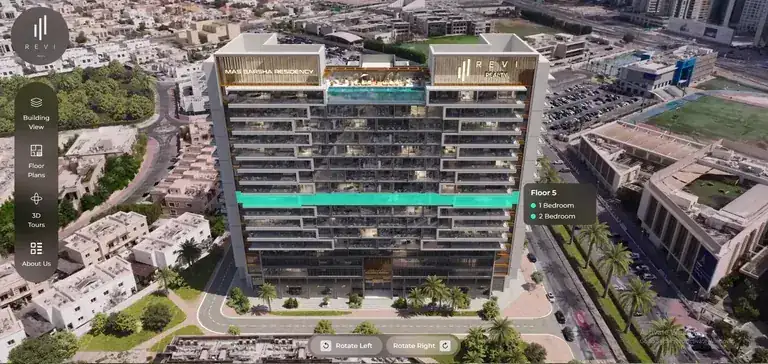
  • UAERevireality - Masbarsha UAE
    Revireality - Masbarsha — Xplore digital twin view
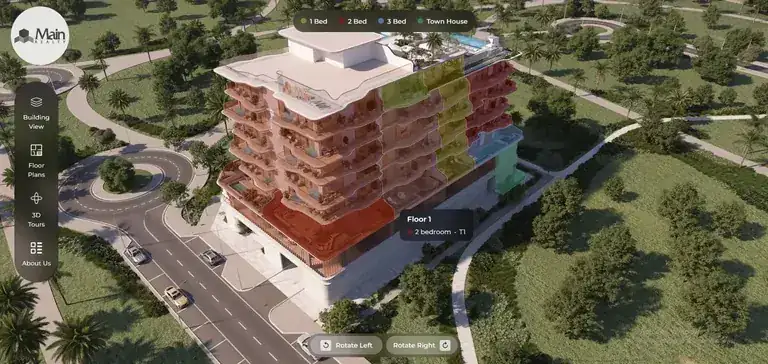
  • UAEMain Reality - Vivo South UAE
    Main Reality - Vivo South — Xplore digital twin view

Elevate. Evaluate. Reserve.

One continuous journey, from first look to signed reservation — without leaving the twin.

Funnel view
  1. 01

    Elevate

    Rise through the tower

    The buyer lifts off the map into a photoreal twin: massing, floors, amenities, and the real view from the real unit at the real height.

    • Massing
    • Orbit
    • Real view
  2. 02

    Evaluate

    Compare like an investor

    Filter by budget, floor, orientation and view. Open 2D and 3D plans side by side. Model payment plans, ROI and rental yield with AI guidance.

    • Filters
    • ROI model
    • Compare
  3. 03

    Reserve

    Hold it and pay

    Live availability, instant hold, deposit through your payment gateway, documents signed — and the whole record lands in your CRM.

    • Hold
    • Deposit
    • e-Sign
  4. 04

    CRM record

    Record lands in the CRM

    Your CRM stays the system of record — Xplore just fills it with better data, with lead capture on every action.

    • System of record
    • Lead capture

Start with the whole building

Massing, orientation and live availability — in a browser, on a phone, in the client's own brand.
Elevate
Building view · Tower A · live inventory
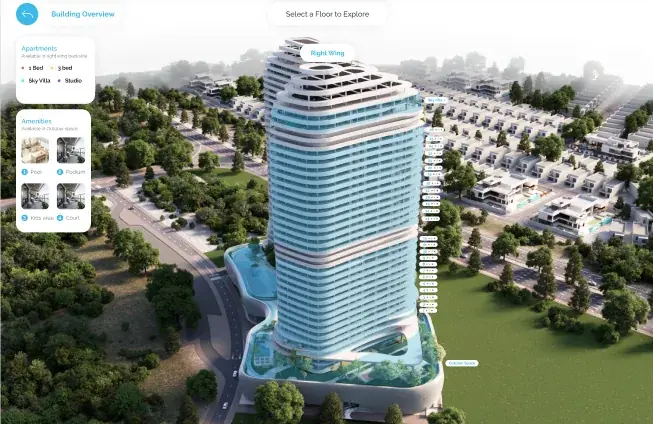
Photoreal tower in the Xplore building view, with an apartments panel, an amenities panel and a floor selector
  • 1 Bed
  • 3 Bed
  • Sky Villa
  • Studio
No download, no plugin, no appointment

Availability on the facade

Unit types and status colour the building itself, floor by floor.

Orbit, do not scroll

Turn the tower to any face and read the real orientation before picking a floor.

One rail, four ways in

Building view, floor plans, 3D tours and project info stay one tap away.
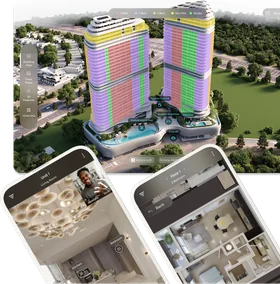
Towers painted by unit type, shown alongside the same twin on two phones

Unit type colouring

1 bed, 2 bed, 3 bed and sky villas painted on the tower — and the same twin on a phone.

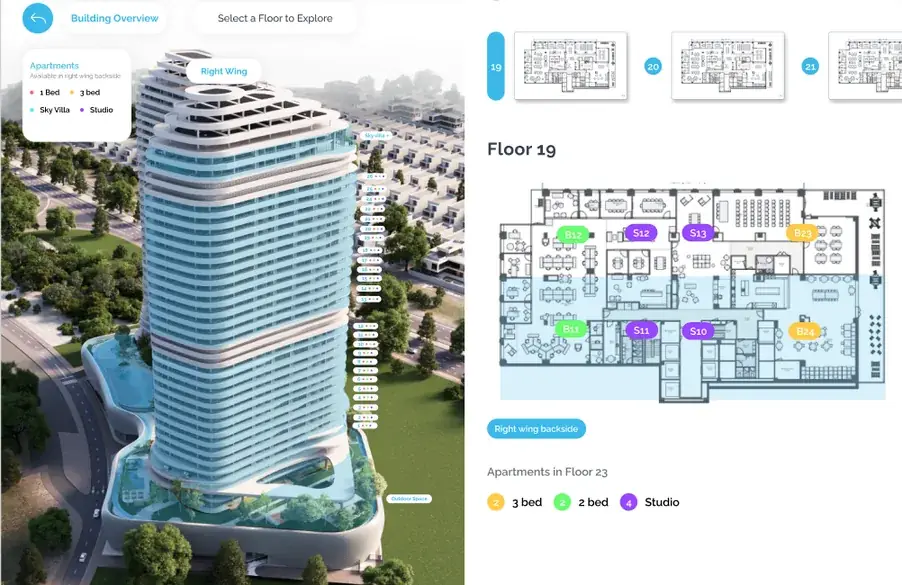
Choose a floor. Open the floor plan.

Wing, floor plate and apartment layout — unit codes, mix and availability read live from your inventory.
Evaluate

The floor plate, not a PDF

Floor 19 · Right wing
Xplore floor selection: the tower beside the Floor 19 plate with apartments marked by type
  • 2 units3 bed
  • 2 units2 bed
  • 4 unitsStudio

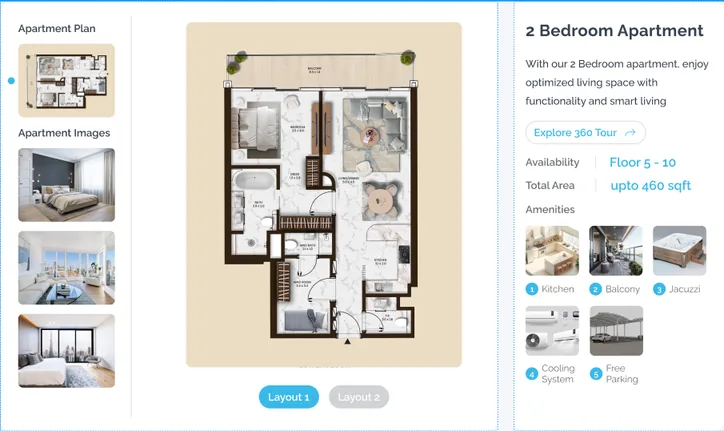
The apartment, in detail

2 bed · up to 460 sqft
Xplore unit page for a 2 bedroom apartment: plan, interior images, availability, area and amenities
Layouts
2 options
Availability
Floor 5–10
Amenities
5 listed
  • Kitchen
  • Balcony
  • Jacuzzi
  • Cooling
  • Parking

Screens shown are examples.

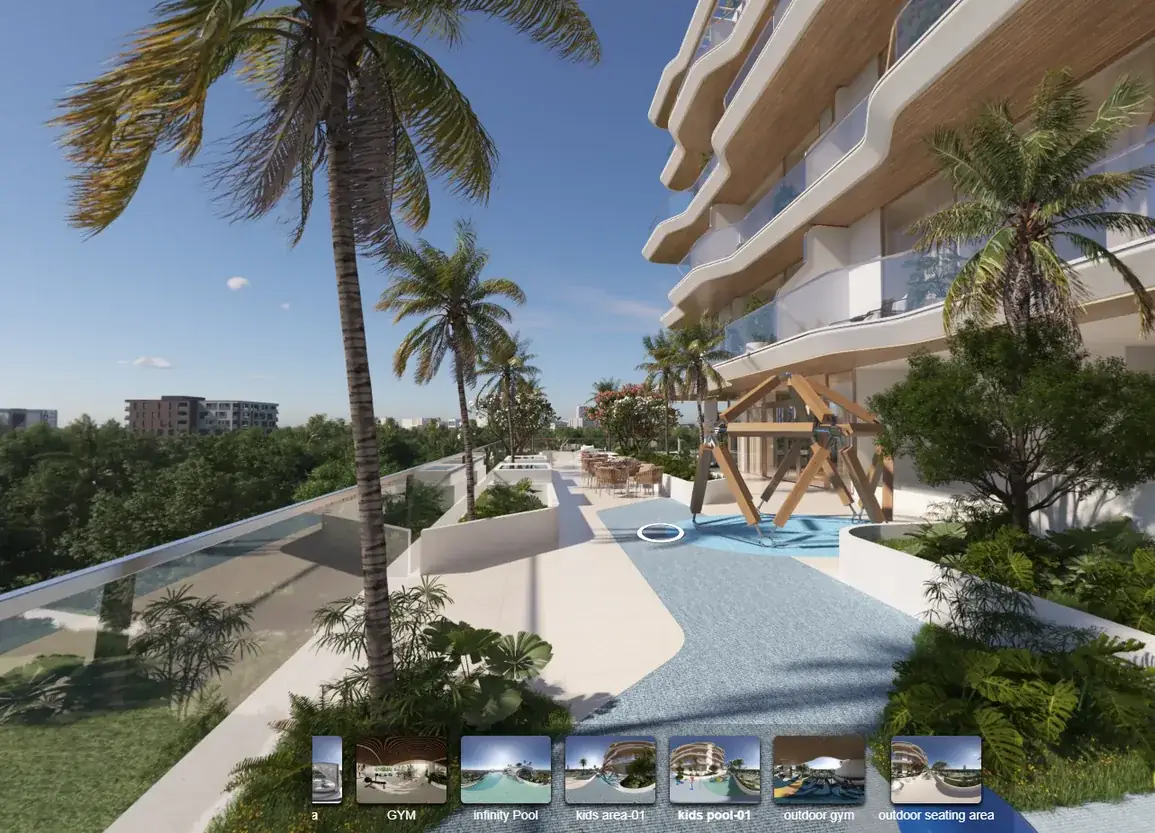
Step inside. 360° of the real unit.

Hotspot for every room, specs and amenities alongside
Reserve
Still from an Xplore 360° tour: a landscaped pool deck, with a strip of room hotspots such as gym, infinity pool and outdoor seating
Still from a 360° tour

One page, every answer

unit page
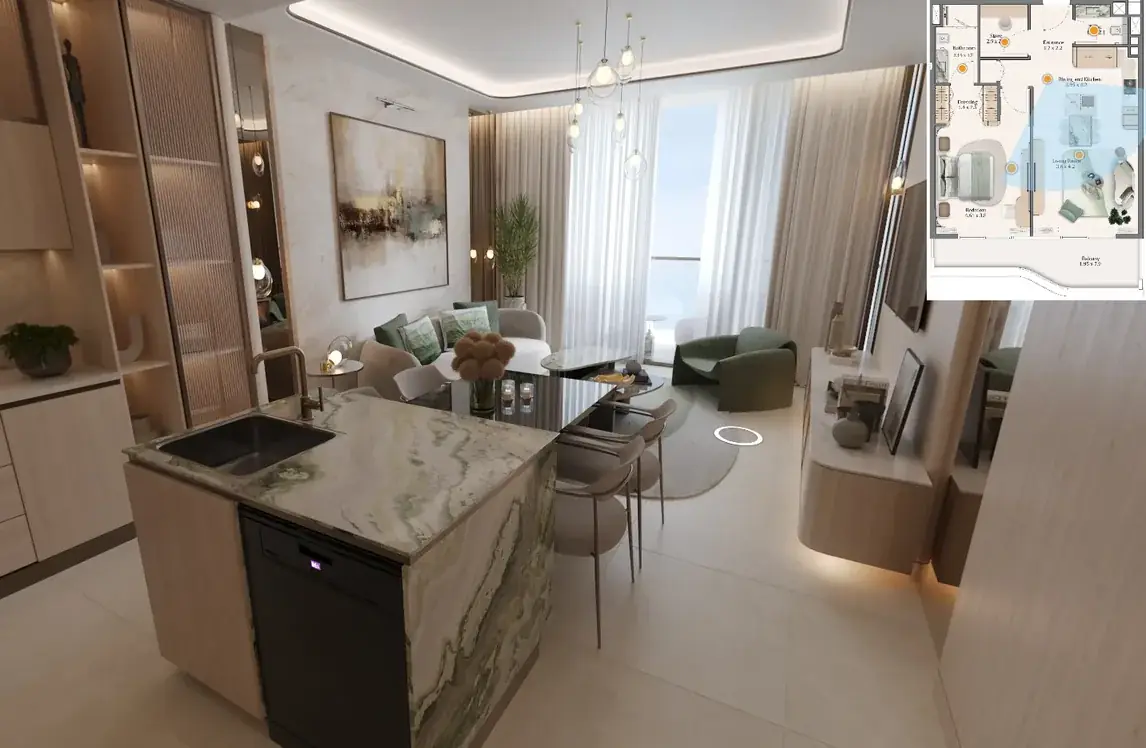
Xplore unit page: furnished living area with the apartment plan alongside

Live availability, from tour to held unit

unit card
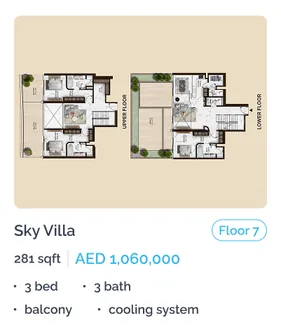
Unit card for a Sky Villa on floor 7 with area, price, bedrooms and bathrooms
  1. Explore the 360 tour
  2. Check price and floor
  3. Inquire or hold the unit
  4. Record lands in the CRM

The project in its city

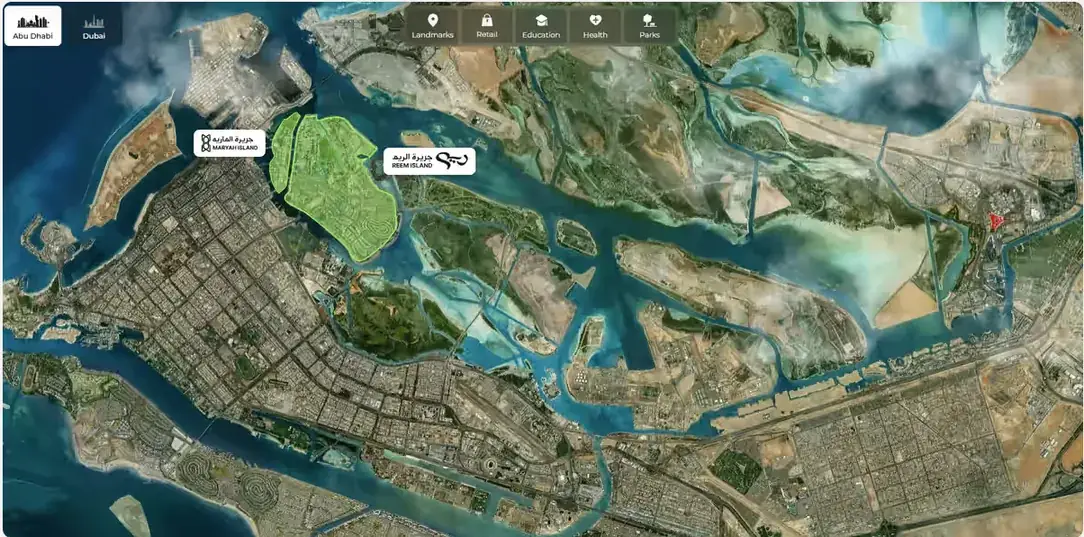
GIS context, landmarks and connectivity — the answer to "what is around it" without leaving the twin.
Location & GIS

Location and GIS context

Abu Dhabi · Reem Island
Xplore location view: satellite map of Abu Dhabi with Reem Island highlighted and map layers for landmarks, retail, education, health and parks
  • Landmarks
  • Retail
  • Education
  • Health
  • Parks
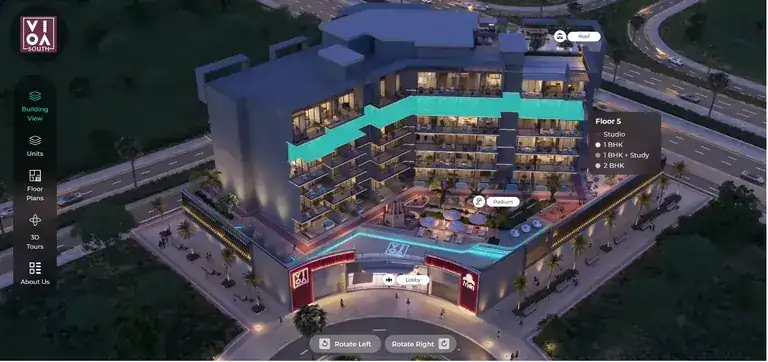
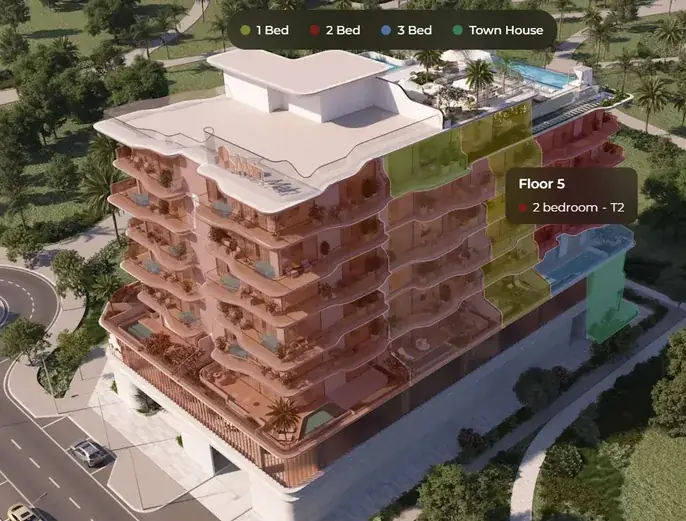
Mid-rise residential building in the twin with Floor 5 highlighted as a 2 bedroom unit

What it answers

  • Where it sits on the island
  • Drive times and connectivity
  • Retail, schools, health, parks

Overseas buyers get the neighbourhood, the drive times and the view — before anyone books a flight.

What the buyer can actually do

Every capability below is one tap inside the same experience — no downloads, no plugins, no sales call required.

16 modules
  • 3D building view
  • Floor navigation
  • Photoreal visuals
  • Real view from unit
  • Amenities in 3D
  • Status colouring
  • 2D floor plans
  • 3D floor plans
  • 360° unit tour
  • Unit filtering
  • Compare and save
  • Live availability
  • Book & Reserve
  • Payment plans
  • Live assistance
  • Location & GIS

Multi-project portfolios · multilingual interface · lead capture on every action · runs in a browser on a phone

If you build the asset

The same model that sells the project also protects it — one geometry, checked once, reused everywhere.

One geometry, five jobs

Revit · IFC · GIS · point cloud
  • One model, one truth

    Files come in as-is. Sales, marketing and operations read the same geometry, so nobody markets a unit that moved.

  • Validate before concrete

    Walk sightlines, daylight, circulation and the view from level 34 while it is still cheap to change.

  • Phasing without rework

    Towers, phases and handover stages are versions of one twin, not five visualisation projects.

  • Fewer surprises at handover

    What the buyer was shown is what was modelled — the cheapest way to avoid a snagging dispute.

  • The model keeps earning

    After handover the twin becomes the as-built record for facilities, leasing and the next phase.

Built once, output many

pipeline
  1. Revit / IFC / point cloud
  2. GIS and site context
  3. Xplore engine
  4. Sales and web experience
  5. Broker and portal kit
  6. Investor and ROI room
  7. As-built handover

Where the AI earns its place

Not a chatbot bolted onto a viewer. Six jobs a person would otherwise do slowly, or not at all.

6 modules
  • Always-on advisor

    Answers any question about any unit — service charge, handover date, orientation — in the buyer's language.

  • Unit matchmaking

    Reads budget, family size, view preference and behaviour, then proposes the units that actually fit.

  • Lead scoring

    Ranks buyers on what they did in the twin, not what they typed in a form.

  • Investment modelling

    Payment plan, ROI, rental yield and exit scenarios computed per unit, live.

  • Content generation

    Unit descriptions, brochures and portal listings generated from the twin itself.

  • Demand intelligence

    Heatmaps of which floors, views and price bands buyers actually explore.

Most explored

floors by session
  • Floors 30–34
    4,120+21%
  • Floors 20–29
    3,540+14%
  • Floors 10–19
    2,330+6%
  • Floors 5–9
    1,180
  • Podium
    640
  • Amenities
    512
Example demand view, for illustration.

Grounded in your inventory

The AI runs on your own inventory, pricing and availability — so it never invents a unit that does not exist.

It plugs into the stack you already run

Your CRM stays the system of record — Xplore just fills it with better data

5 categories
  • CRM and sales

    • Salesforce
    • HubSpot
    • Microsoft Dynamics
    • Zoho
    • Bitrix24
    • Property CRMs
  • Transactions

    • Payment gateways
    • e-signature
    • ERP and inventory
    • Reservation workflow
  • Communication

    • WhatsApp
    • Email
    • Calendar booking
    • Call centre handover
  • Distribution

    • Your website
    • Portals and feeds
    • Broker microsites
    • QR, print and social
  • Data and BIM

    • Revit and IFC
    • GIS
    • Analytics and BI
    • Data warehouse

Open REST API, webhooks and SSO — anything not listed here can still be connected, and nothing is locked in.

Connections are set up for each project during onboarding, to the systems that project uses.

If you own the asset

You are not buying a 3D model. You are buying a shorter sales cycle, a wider market and a price you can defend.

Published benchmarks
  • Days on market

    31%

    faster to close

    One study measured days on market falling from 34 to 19.

  • Achieved price

    up to 9%

    higher achieved price

    Buyers who already walked the unit negotiate less — 4–9% higher.

  • Lead quality

    49%

    more qualified leads

    The twin filters the merely curious before your sales team.

  • Engagement

    400%

    engagement uplift

    A regional developer reported up to 4x after moving launch into a twin.

  • Availability

    24/7

    global showroom

    An overseas investor buys at 2am in their own language, no flight.

  • Time to launch

    4–6 days

    to go live

    Onboarding is measured in days, not quarters.

The same twin also becomes your website, your sales gallery, your broker kit and your investor room.

Your own figures replace these after campaign one.

The impact, measured

Indexed against the same campaign run without a twin. These are the numbers we agree to be judged on.

Campaign index

traditional vs Xplore twin
Campaign index, traditional campaign = 100
MeasureTraditionalXplore twin
Qualified leads100149
Speed to close100131
Price achieved100106
Reach beyond city100187
Traditional campaignWith Xplore twin

Reach beyond the city

46 countries · last 90 days
World map highlighting the countries buyer sessions came from
187reach index
  • 49%

    Qualified leads

    +49 index points

  • 31%

    Faster to close

    34 → 19 days on market

  • 87%

    Sessions completed

    buyers who finish the tour

  • 64%

    Return visits

    come back within 7 days

What you get on day one: a live dashboard of sessions, units explored, saved comparisons, held units and lead scores — per project and per broker.

Figures are reproduced from the Xplore presentation. Benchmarks come from published studies and reports; the campaign index compares a campaign with and without a twin. Results differ by project and market and are not guaranteed.

How implementation works

Four phases, two teams, one signed-off launch — mapped onto the same six days

Delivery schedule

  1. Data and model prep: day 1
  2. Configuration: day 2 to 3
  3. Quality Assurance: day 4 to 5
  4. Joint testing, go-live: day 6
  • Day 1

    Data and model prep

    • Client files as-is: Revit, IFC, CAD
    • Massing, landscape, site context
    • Hotspot positions and lighting
    • 360° renders linked into a route
    • Floor plans and furniture layouts
  • Day 2–3

    Twin configuration

    • 3D walkthrough
    • Floor plan and unit data setup
    • Booking and reservation engine
    • Exterior navigation and overview
    • Menu, branding and languages
    • CRM connection
  • Day 4–5

    QA — the Xplore team

    • Functional and regression testing
    • UI, UX and visual consistency
    • Performance, load and mobile
    • Security testing
    • Navigation and deep-link testing
    • Automated suite for later releases
  • Day 6

    Joint testing and go-live

    • User acceptance testing
    • Integration checks
    • Bugs tracked
    • Sign-off, team training, handover

Nothing goes live until your team signs the UAT.

Six days assumes one tower with model and unit list on day one; master plans are scoped per phase.

Live in four to six days

Where Xplore replaces the old launch kit, and what you send us to start.

Use cases
  • Off-plan tower

    Launched the twin before the show unit was finished and sold from it directly.

    Sold pre-completion

  • Master community

    Replaced a printed inventory and a sales gallery queue with one shared link.

    One link, whole masterplan

  • Investment sales

    Overseas investors reserved units without visiting the country.

    Reserved remotely

One tower, one unit list, one week

  • Revit / IFC model
  • Units and pricing
  • Brand kit
Xplore by Cedars Digital

Elevate. Evaluate. Reserve.

Send us one Revit or IFC model and your unit list.

to go live
4–6 days
to go live
to start
1 model
to start
for the buyer
0 plugins
for the buyer

To start: your Revit / IFC model, units and pricing, and brand kit. Six days assumes one tower; master plans are scoped per phase.

Get in touch

Book a walkthrough

Tell us about your project and the Cedars Digital team will contact you to arrange the walkthrough.